Version 4.3.0 — March 2026

LabGx Updates: Report & System Enhancements

This release includes new features, enhancements, and updates across user management, medication matching, report filtering, and more.

new features

ENHANCEMENTS

In this release


Versions

v4.3.0

March 4, 2026

View all version

current release

Version 4.3.0

LabGx Updates: Report & System Enhancements

9 updates

All Updates 9
New Features 5
Improvements 4
Bug Fixes 0
 

Update 01 / 09

Enhanced User Management

improved

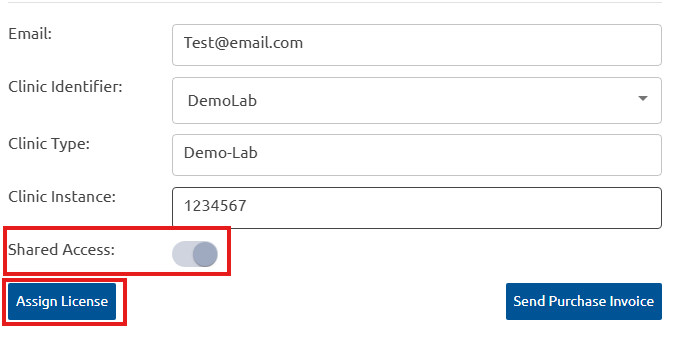
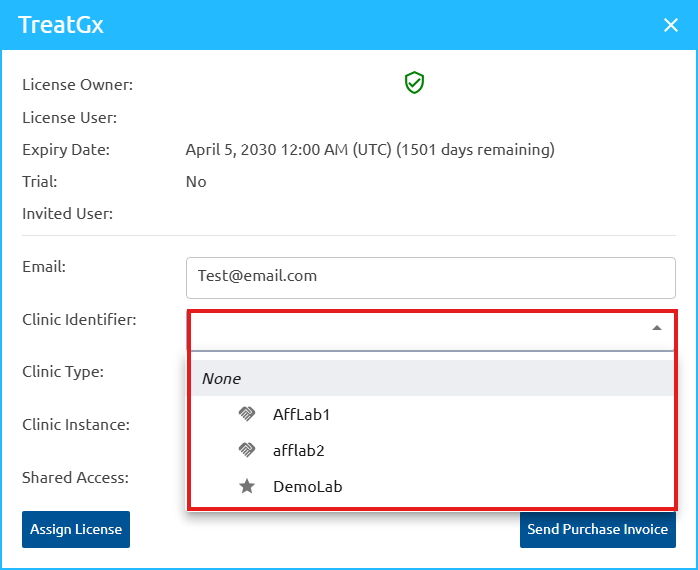
We have introduced enhancements to User and License Management to provide greater flexibility and administrative control. When sharing a license invite, assign a Clinic Identifier, Clinic Type, and Clinic Instance, plus enable shared access immediately. While selecting the Clinic Identifier, the appropriate clinic instance must be selected from the dropdown, and clinic instances can be configured for affiliated laboratories too.

Administrators retain the ability to modify the Clinic Type, Clinic Instance, or shared access settings at any time after the license has been assigned. New user accounts auto-verify on sign-up for immediate access, skipping the manual approval.

How the shared account works

The shared access feature lets multiple users view reports under a common Clinic Type, while maintaining individual identifiers through Clinic Instance (typically the user’s NPI number).

The Clinic Type is used to create a shared group of users. The Clinic Instance (usually the NPI) uniquely identifies each user within that group and ties orders or cases to a specific healthcare provider (HCP).

When assigning a case, both the Clinic Type and Clinic Instance are used to ensure the report is directed to the correct provider. However, if multiple users share the same Clinic Type and have Shared Access enabled, they are able to view each other’s assigned cases and reports within that shared group.

Example:

  • Users A, B, and C share Clinic Type: Demo-Lab.
  • Each user has unique Clinic Instance (e.g., their individual NPI).
  • Shared Access is enabled for Users A and C: they see each other’s assigned cases and reports.
  • Shared Access is not enabled for User B: B will see reports assigned to A or C.

This allows reports to be shared across multiple users within the same clinic group while maintaining individual provider identification and administrative control.

Update 02 / 09

Improvements to RXCUI Medication Matching

improved

RXCUI medication matching in LabGx has been improved for enhanced accuracy, consistency, and reliability. The updated logic maps medications to RXCUI codes more precisely, reducing mismatches and improving standardization across the platform.

Update 03 / 09

Filter Flagged Reports

new

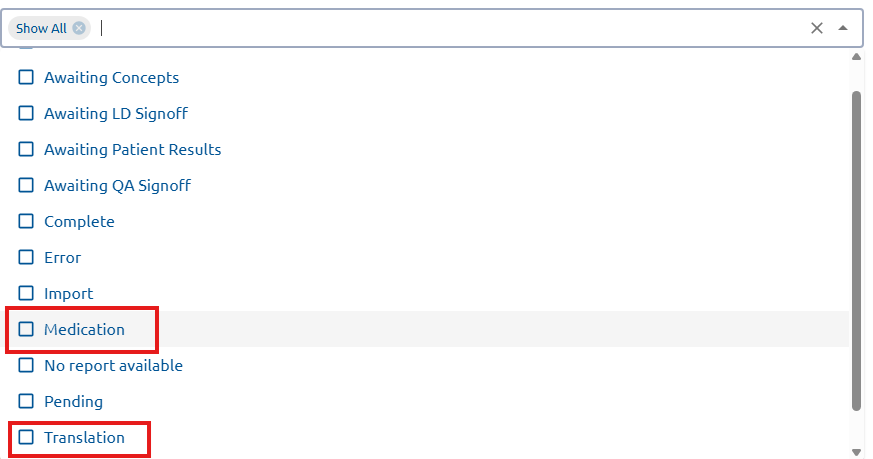
LabGx now includes a new filtering capability for flagged reports to streamline troubleshooting. You can filter reports by specific flagged reasons, such as Medication Mismatch – Flagged or Genetic Mismatch/Unreported – Flagged. This helps users managing high report volumes quickly identify, categorize, and resolve issues.

To use this filter:

  1. Navigate to Filter section in LabGx 
  2. Select the desired filter from the filter options. 


Update 04 / 09

New Extended Raw Report

new

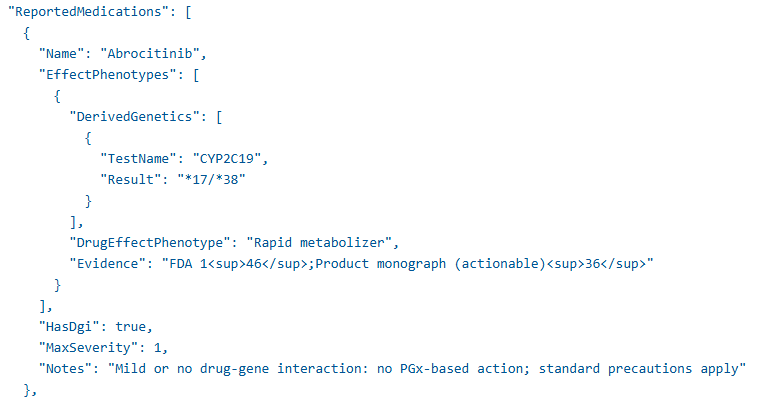
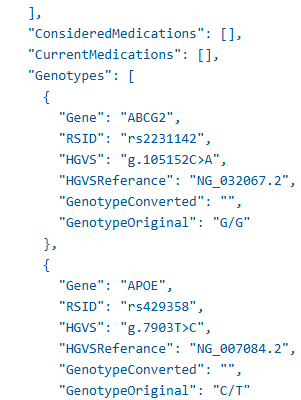
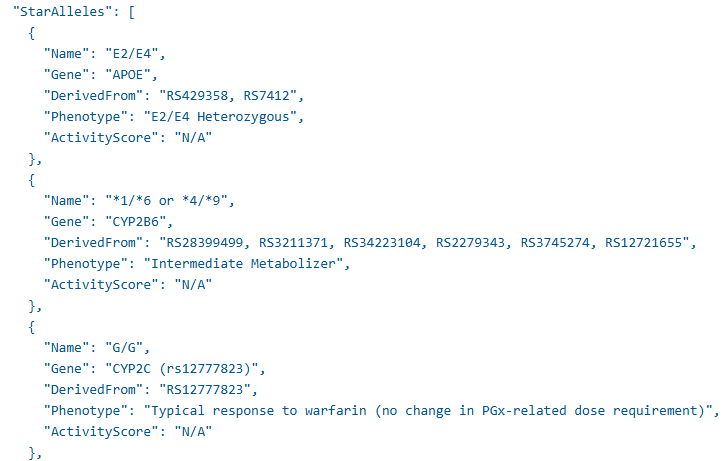
A new Extended Raw Report provides more comprehensive genetic and medication insights. It includes Drug-Gene Interaction (DGI) messages, current medications, report medications, recommended medications with severity levels, and a detailed phenotype table with star alleles. Labs gain deeper clinical transparency and insights into report data.

This is available as an add-on option for laboratories interested in enabling it.

Update 05 / 09

New Medical Record Number Field

new

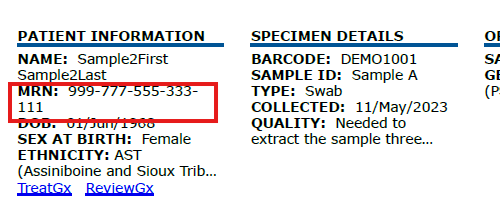
A new MRN (Medical Record Number) Field enhances patient tracking in reports. Labs can optionally include MRN when submitting patient data. If included, the MRN will appear in the report header, making it easier to link reports to patient records.

To enable this feature:

    1. Go to Lab Studio
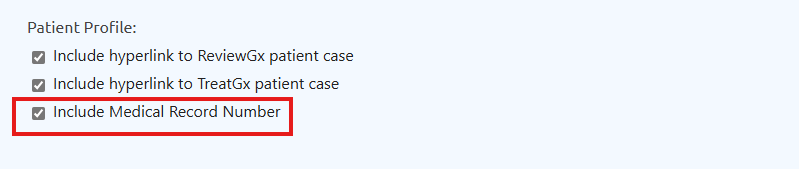
    2. Under Header section, check the Include MRN

To review order specifications for including the MRN, click here

Patient profile settings with hyperlinks

Update 06 / 09

New Section for Unknown Medications

new

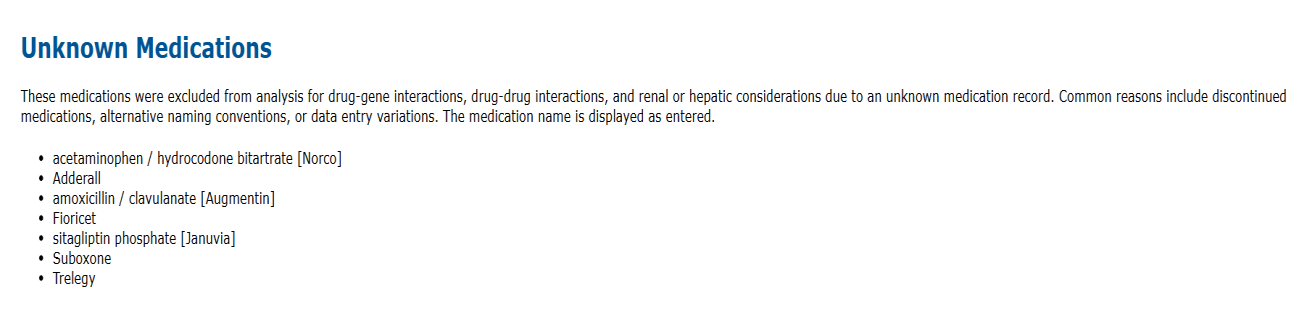
A new Unknown Medication section has been added to the report to improve visibility of unmatched medications. This section lists current medications that could not be matched and therefore were not analyzed for Drug–Gene Interactions (DGI). Previously omitted, providers can now see if these medications are part of the patient’s current regimen, even if they are not analyzed. This enhancement provides a more complete view of the patient’s medication profile.

Note: These medications were excluded from analysis for drug-gene interactions, drug-drug interactions, and renal or hepatic considerations due to an unknown medication record. Common reasons include discontinued medications, alternative naming conventions, or data entry variations. The medication name is displayed as entered.

Update 07 / 09

Panel Support for Smart Mapping

improved

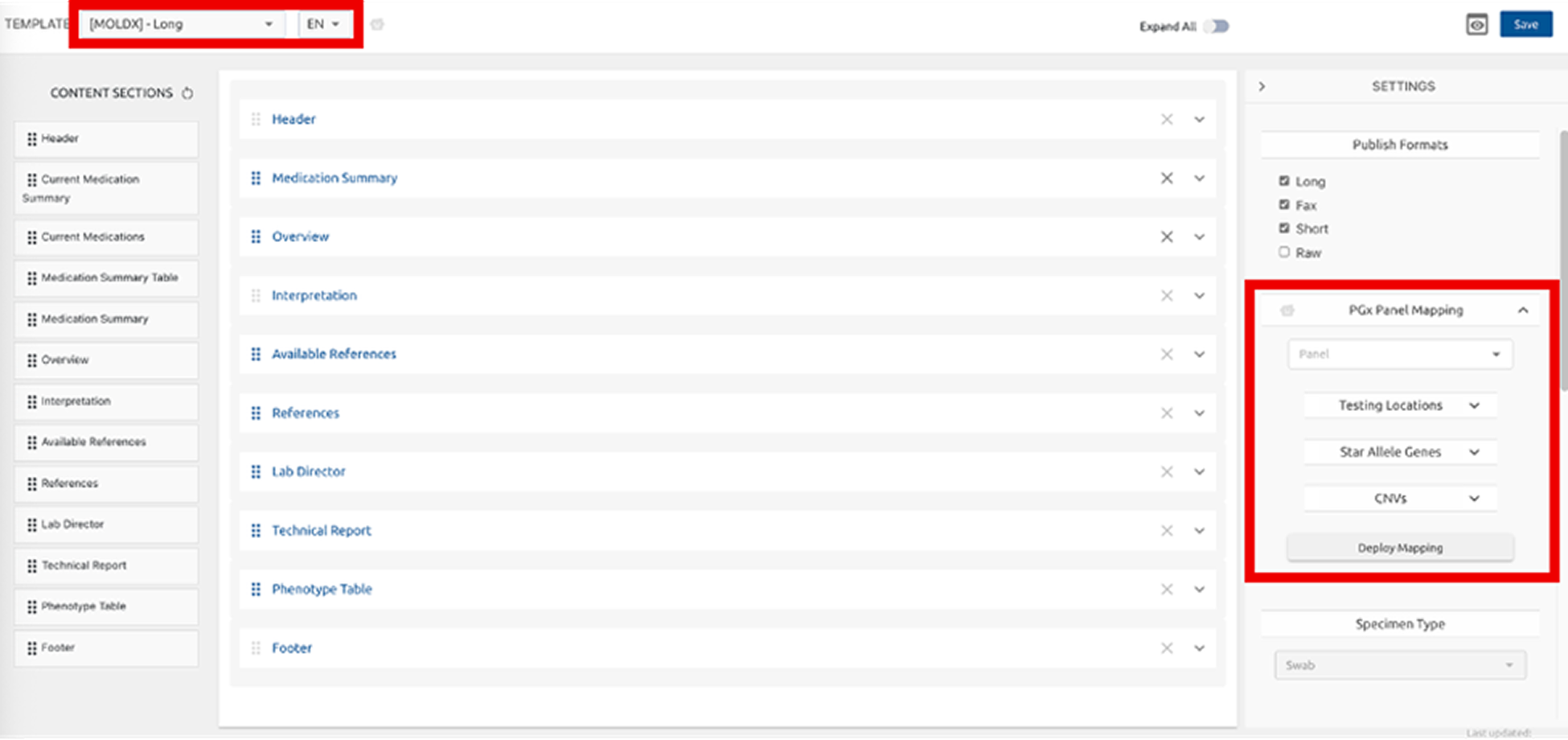
Announcing support for multiple panels in Lab Studio PGx Panel Mapping for flexible, client-specific deployment. This enhancement makes it easier for laboratories to update existing panels and create new ones with the same flexibility used to build Lab Studio templates.

By selecting a reporting template, you can now create, customize, and deploy new panels directly within the selected template workflow. SupportBot is available to guide Lab Directors through this step-by-step.

Post-mapping, download Allele Coverage, Ambiguity Report and GeneDrugList.

To use the new panel mapping, your order.JSON file must be configured to include the panel ID in the `panel` parameter.

Please contact GenXys regarding validation requirements for any newly deployed panel. Note: Only active Lab Directors are authorized to deploy mappings.

Update 08 / 09

Changes to Select Column Names in Lab Report

improved

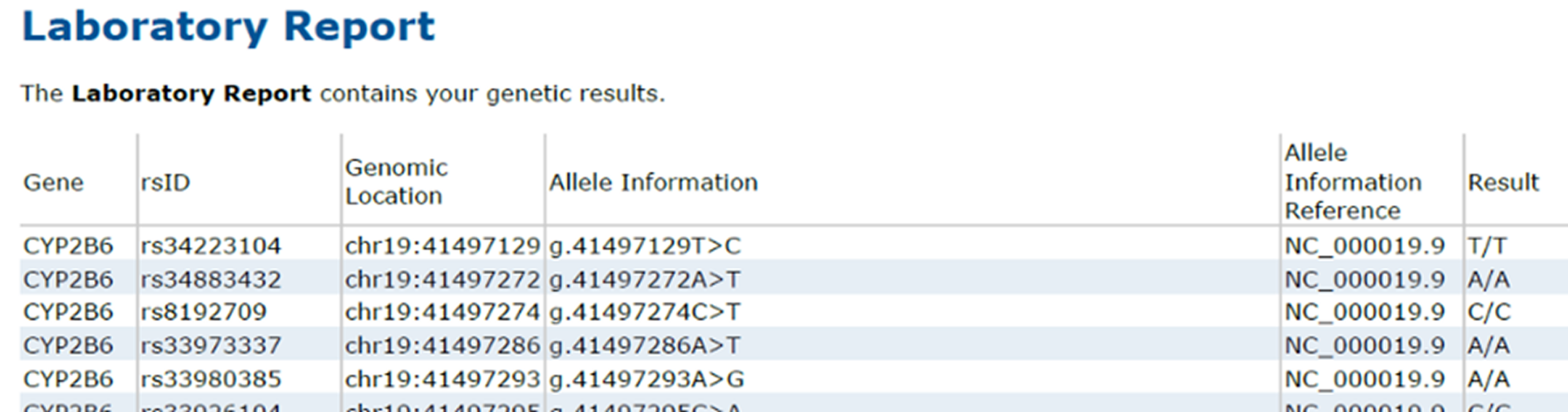
Laboratory Report table fields now use updated, clinically precise terminology. HGVS column has been renamed to Allele Definition, and HGVS Reference has been renamed to Allele Information Reference.

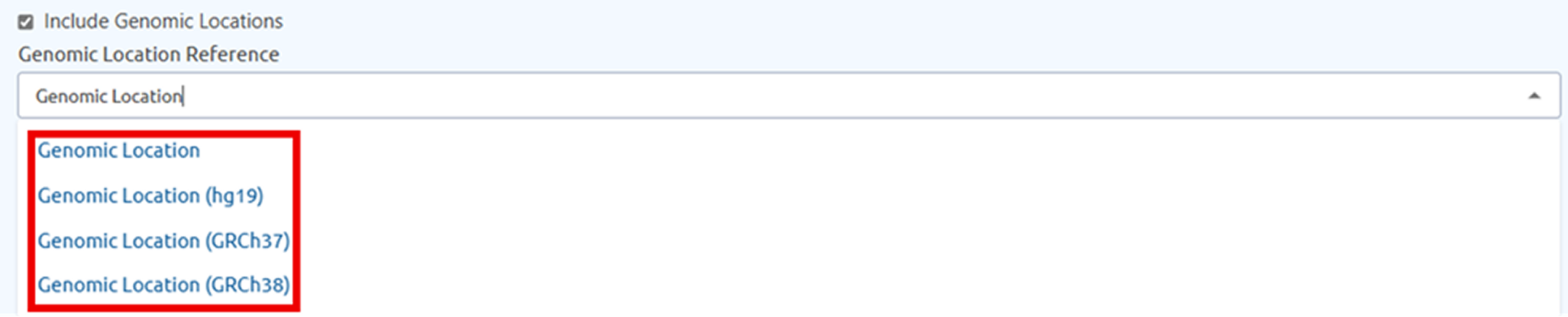
Genomic Location column has been enhanced to reflect laboratory-reported information. Laboratories can now specify which genomic reference was used when reporting results providing greater flexibility and more accurate representation of genomic data. Available options include GRCh38, GRCh37, hg19, and RefGeneSeq.

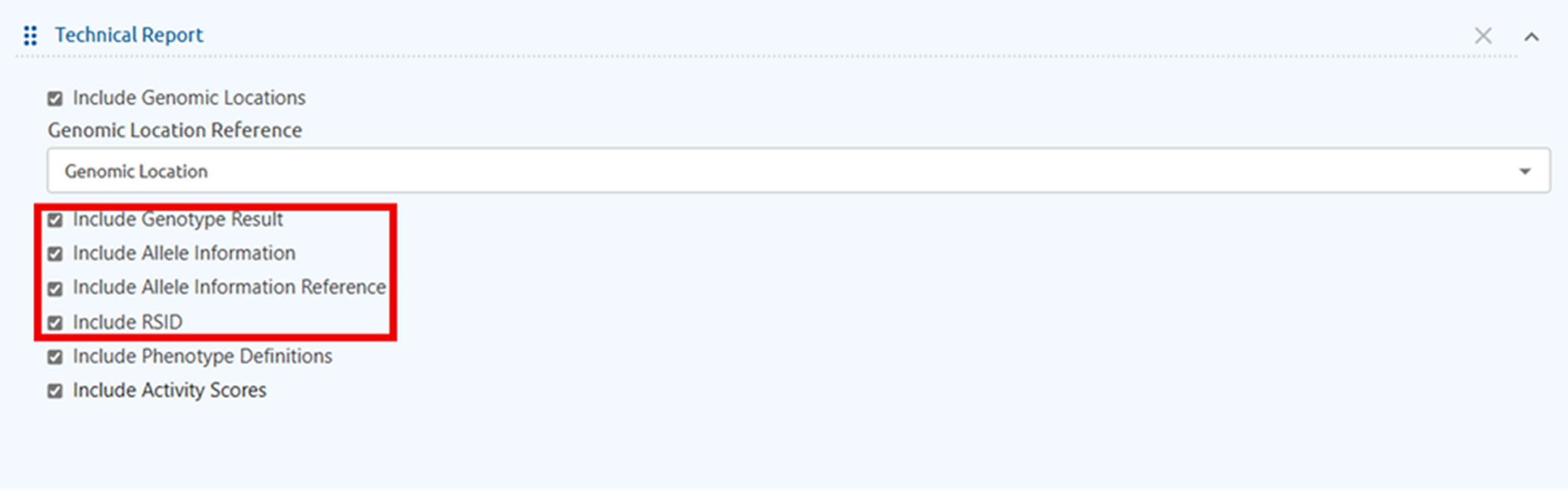
Expanded customization options within LabStudio is now available, giving laboratories greater control over how information is displayed in the Laboratory Report table. Select columns like RSID, Genomic Location, Allele Information, Allele Information Reference, Genotype Result to fit your workflow.

Update 09 / 09

Updates to Drug-Gene Interactions for PGx Reporting

new

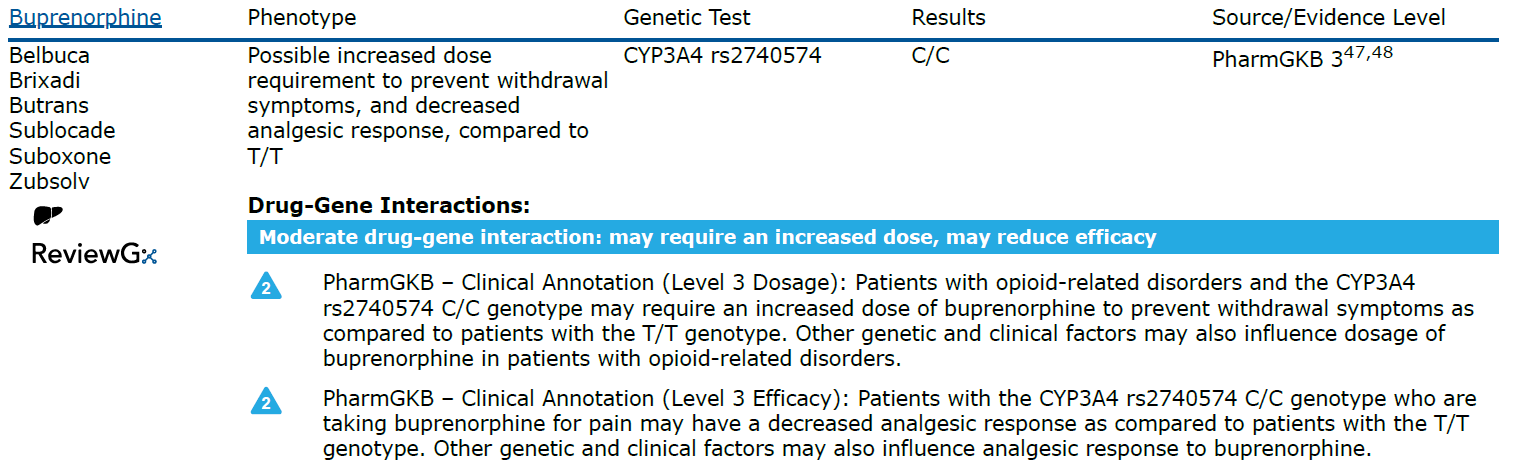
Buprenorphine drug-gene interaction content is now available for panels testing CYP3A4 rs2740574, based on ClinPGx (PharmGKB) Level 3 evidence. Learn more: https://www.clinpgx.org/combination/PA130,PA448685/summaryAnnotation

coming soon

Updates to thiopurine guidance (azathioprine, mercaptopurine, thioguanine) aligned with CPIC’s February 2026 guideline update, along with associated TPMT and NUDT15 mapping updates where applicable. Overall dosing guidance remains consistent with prior recommendations, with a few minor updates. The update also provides clearer alignment of recommendations for malignant vs. non-malignant indications for each of the three thiopurines. Learn more: https://blog.clinpgx.org/cpic-guideline-for/

© 2026 GenXys Health Inc. All rights reserved.

Zoomed image